

How to Turn Podcast Transcripts Into LinkedIn Posts With AI

How to turn podcast transcripts into LinkedIn posts with AI
So you've recorded a podcast, and it's packed full of interesting ideas, valuable insights, and inspiring quotes. Sharing those insights on LinkedIn is a natural next step. It helps the ideas travel further, spark conversations, and reach a wider audience beyond your regular listeners.
But crafting the perfect post from scratch can be time-consuming. Not to mention intimidating. That's where AI comes into play.
By combining Transcribe's fast and accurate transcripts with Claude's powerful content-generation abilities, you can turn podcast recordings into high-performing LinkedIn posts in a matter of minutes.
Here's a simple step-by-step guide to repurposing podcasts into LinkedIn posts using Claude and Transcribe.
Jump to:
-
Step three: Ask Claude to extract key insights from your podcast
-
Best practices for getting high-quality LinkedIn content from AI
Step one: Transcribe your podcast
Start by converting your podcast episode into text using a transcription service like Transcribe. Simply upload your audio file, and Transcribe will generate a clear, accurate transcript with speaker labels and timestamps - ideal for reviewing long conversations, pulling out key moments, and identifying quote-worthy sections.
For an even smoother workflow, you can also integrate Claude directly with Transcribe using our MCP setup. This allows you to transcribe your podcast and start analyzing it in the same workspace, without switching tools.
For help getting started, see our guides on transcribing podcasts and setting up the Transcribe MCP integration.

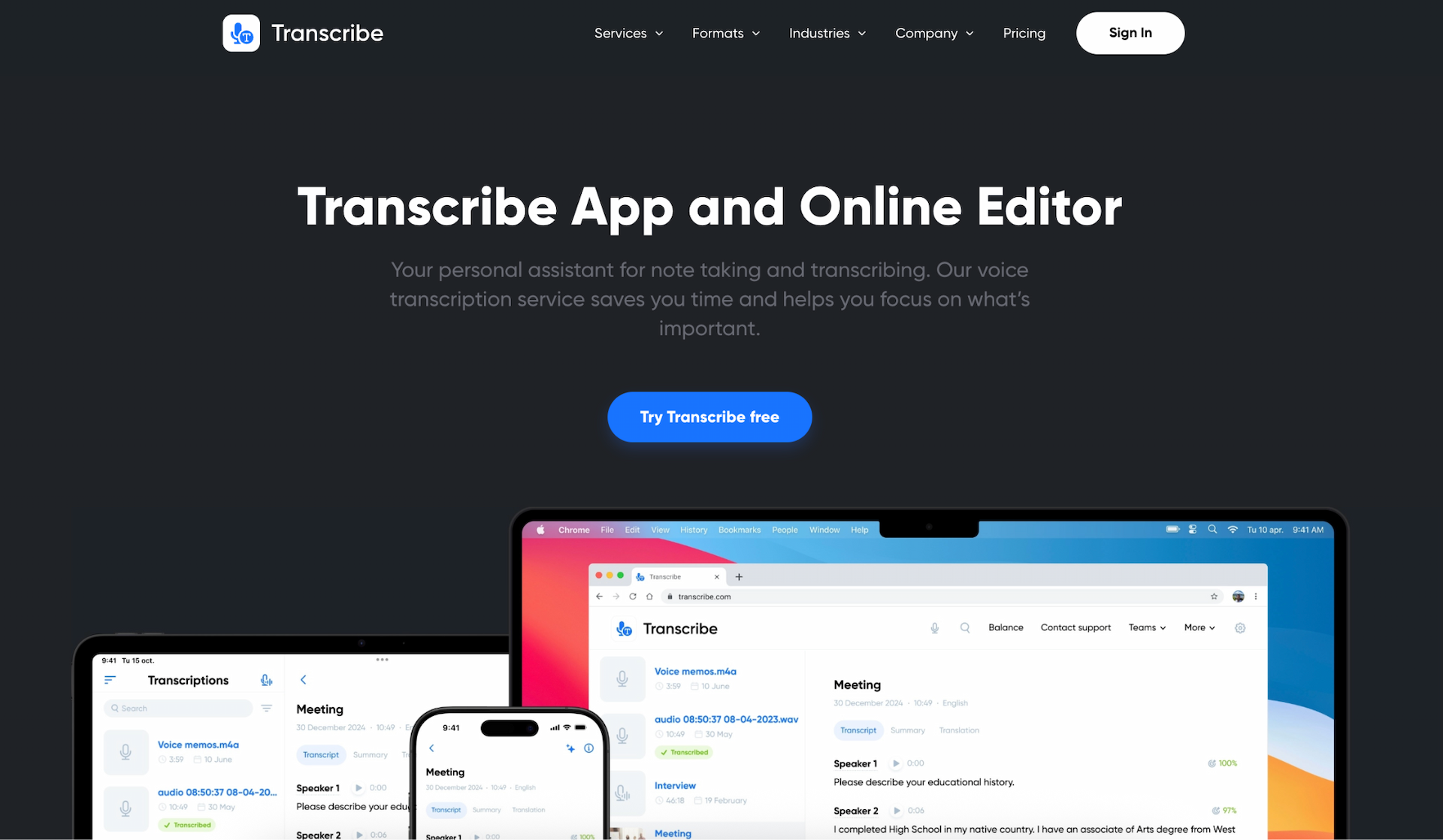
Before sharing your transcript with Claude, it's worth doing a quick quality check:
-
Proofread - Double-check accuracy, especially names, brand references, technical terms, and complex phrases.
-
Check speaker labels - Make sure speakers are labeled consistently (e.g., HOST, GUEST 1, GUEST 2) so Claude can easily understand who said what.
-
Remove anything sensitive - Edit out pre-roll chatter, personal details, or anything you don't want quoted publicly. This is especially important if you're repurposing content from an unreleased episode.
This will help you get the best possible results from Claude.
Step two: Import your podcast transcript into Claude
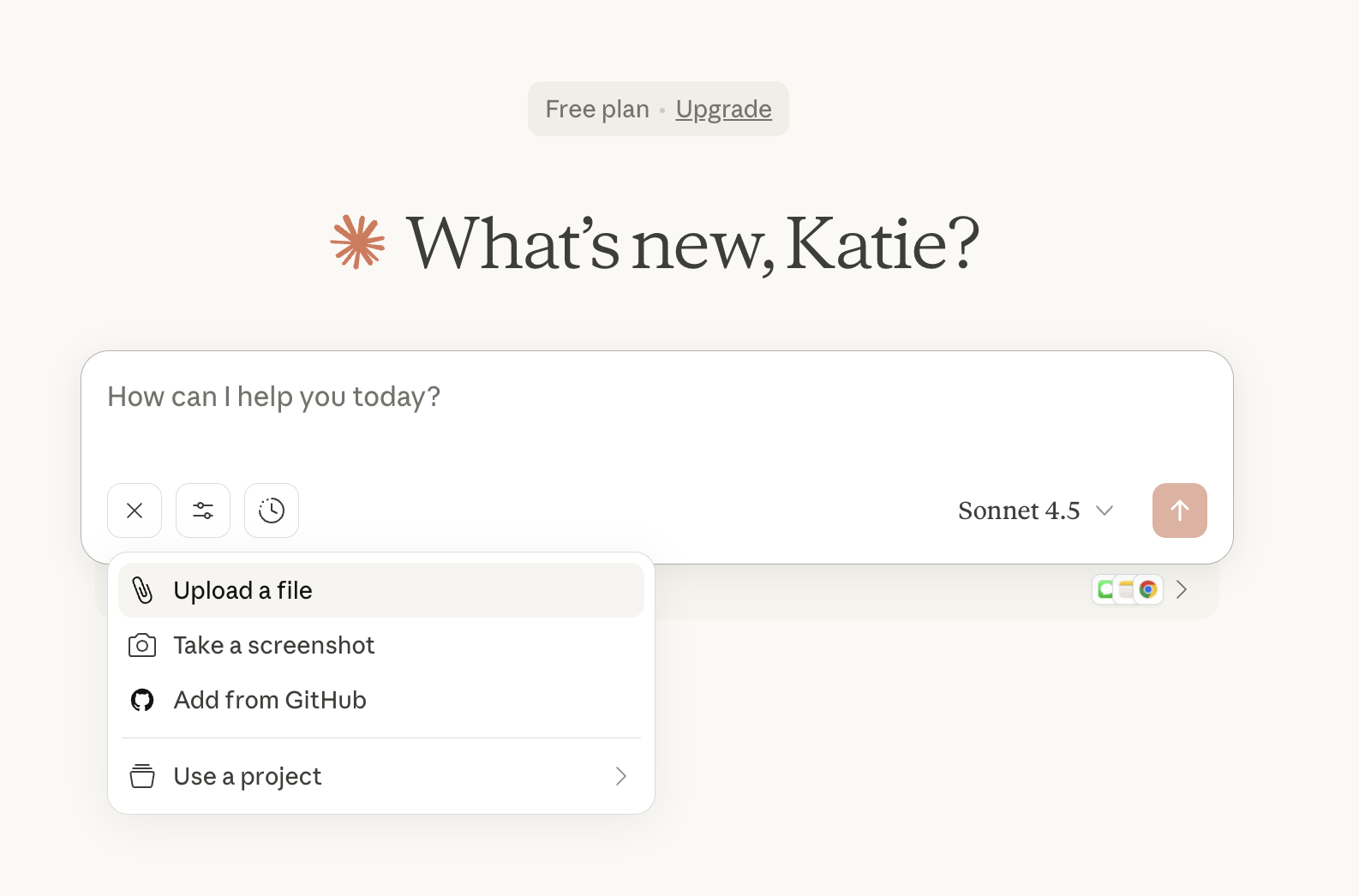
If you're using the MCP integration, your podcast transcripts will appear directly within Claude, ready to analyze as soon as they're generated.
If you're not using MCP, you can simply copy and paste the transcript or upload the transcription file manually.
Either way, Claude can now access the full episode in text form and begin analyzing them using natural language prompts. More on that in the next step.
Step three: Ask Claude to extract key insights from your podcast
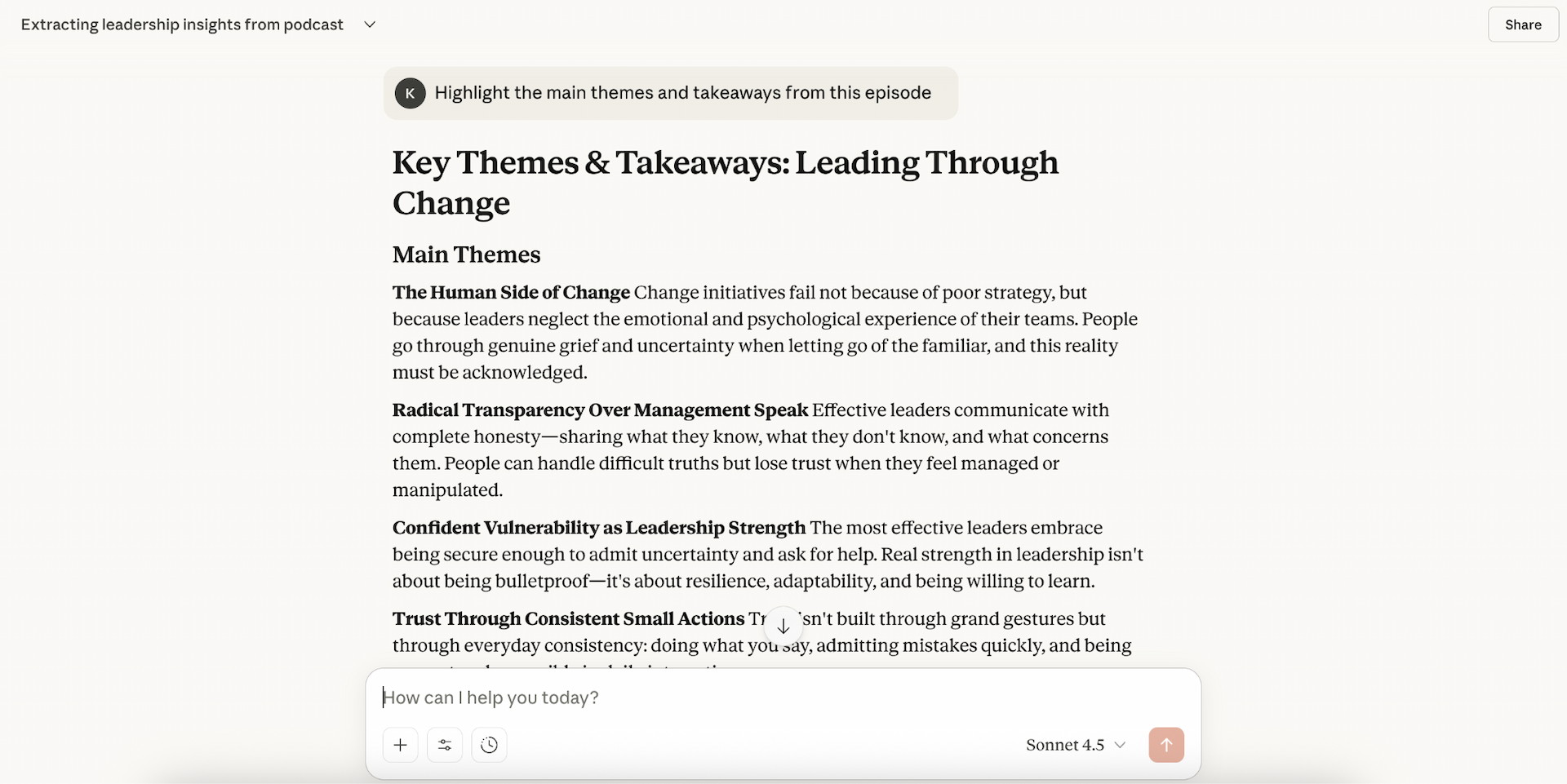
Once your transcript is loaded, start by asking Claude to surface the strongest moments from your episode. These could be big ideas, useful tips, quotable lines, surprising statistics, or moments where the guest shares something personal or impactful.
To get the best possible results from Claude, it's important to write clear, practical prompts.
Try starting with instructions like:
-
"Highlight the main themes and takeaways from this episode."
-
"Pull out the 5-10 most insightful or memorable moments."
-
"Identify any quotable lines from the host or guest."
-
"Summarize the key arguments made in this discussion."
This gives you a curated shortlist of ideas that will translate well to LinkedIn.
Step four: Ask Claude to draft your LinkedIn posts
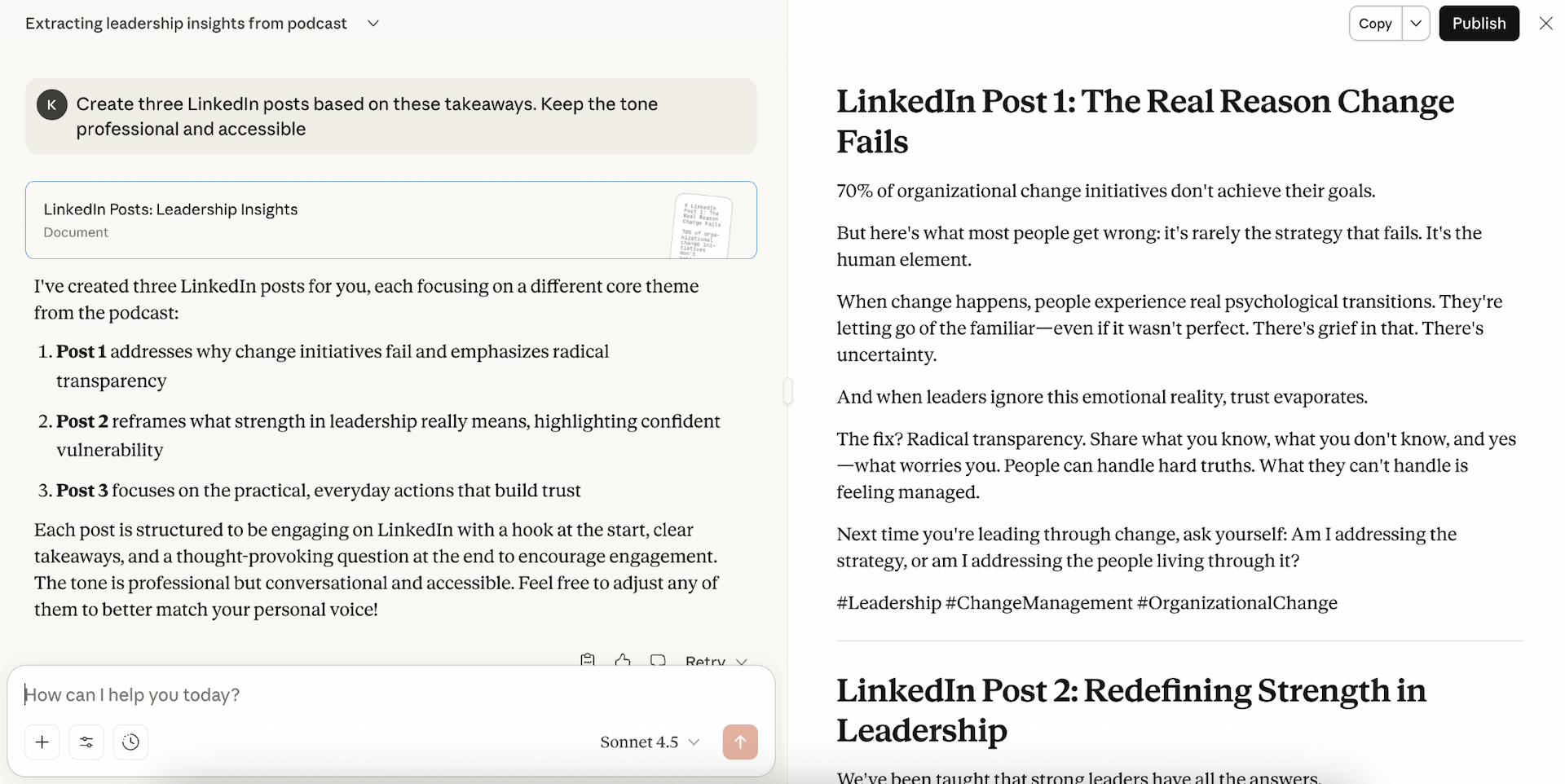
Now it's time to turn those insights into polished LinkedIn posts. Claude can write posts in a variety of formats: short insights, quotes, step-by-step tips, narrative stories, or carousel scripts. Just give it clear instructions on tone, structure, and audience.
Here are some practical prompt examples:
-
"Turn this insight into a concise LinkedIn post with a strong hook and a friendly but professional tone."
-
"Create three LinkedIn posts based on these takeaways. Keep the tone professional and accessible."
-
"Write a LinkedIn carousel script summarizing this section of the episode."
-
"Draft a LinkedIn post using this quote as the lead-in."
-
"Rewrite this LinkedIn post with a punchier hook, clearer flow, and strong CTA."
You can generate multiple versions, refine the tone, or ask Claude to suggest alternative angles until you land on posts that feel right for your audience.
Step five: Review and refine the output
AI can dramatically speed up your workflow, but it shouldn't publish on your behalf without a final review by a human (AKA you). That's why the last step is to check that Claude's drafts align with your perspective, tone of voice, and expertise.
Check that everything is accurate, clear, and genuinely useful for your audience. Tweaking the content so that it sounds like it's you talking will make the post feel more authentic.
It's also worth checking whether the post represents any guests fairly and maintains the context of the original episode. Podcast conversations often rely on tone, pacing, or humor, and sometimes a quick edit helps preserve that nuance.
Once that's done, you're ready to publish your posts!
Best practices for getting high-quality LinkedIn content from AI
Here's how to get consistently high-quality LinkedIn posts from your podcast transcripts:
-
Work in focused chunks - Instead of pasting an entire transcript at once, consider sharing short sections or key moments. Claude produces more accurate, relevant content when the input is tightly scoped.
-
Be specific about tone, audience, and length - Tell Claude who you're writing for and how you want the post to sound (e.g., professional, friendly, conversational, or insight-led). This ensures the output aligns with your personal or brand style.
-
Ask for multiple variations - Request two or three options so you can choose the angle that resonates most. This is especially useful for hooks and thought-leadership style posts.
-
Get Claude to refine the structure - Ask it to craft a stronger hook, tighten the message, or rewrite for clarity and flow. Small refinements can make a big difference on LinkedIn.
-
Add your human touch - Use the AI draft as a foundation, then adjust the wording, nuance, and context so it reflects your point of view. Your voice and judgment are what make the final post feel authentic.
Why repurpose podcasts into LinkedIn posts?
Before wrapping up, it's worth highlighting why turning your podcast episodes into LinkedIn content is so effective:
-
Reach a wider audience
-
Boost authority and thought leadership
-
Maximize ROI from every episode
-
Improve visibility on LinkedIn's algorithm
-
Create consistent content without starting from scratch
Final thoughts
AI makes it easier than ever to transform podcast episodes into polished LinkedIn posts. By combining Transcribe's fast and accurate transcripts with Claude's powerful analysis and content creation abilities, you can turn long-form conversations into consistent, high-impact content in minutes.
If you'd like to explore even more ways to streamline your workflows, check out our guide to the best AI tools to boost productivity, spanning content creation, time management, focus, and more.